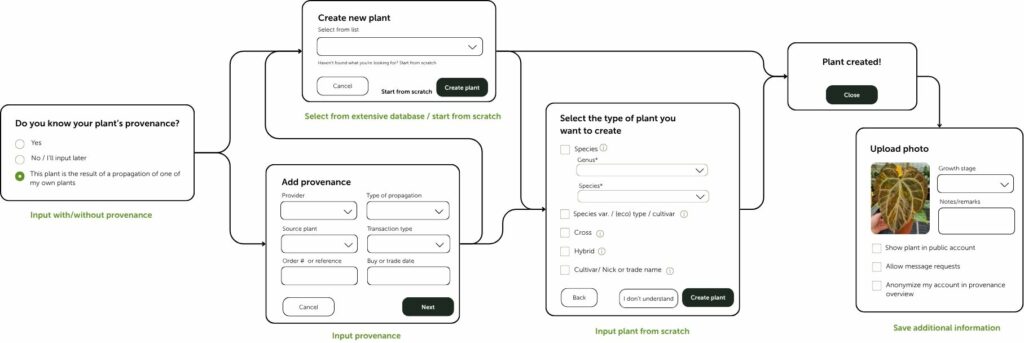
You can either choose your plant from an extensive list of plants that are already listed on the website, or you can manually enter each plant’s information—species, cultivar, acquisition details, etc. You’ll also choose or search for the user you got it from. If they’re not yet on the platform, you can invite them.
You can add more personal details, like pictures of the plant, its conditions, or other remarks, to make it more personal.
Adding a seed batch
When adding a seed batch to your profile, it’s easiest to first input the parent plants to your plant list.
Visual overview
Watch the tutorial
This process is also described in detail in a video on our Tutorials page.